Not on air · 2 of 3 networks checked

Terminalworks ads
- terminalworks.com
- Software Development
- HR
- 11 employees
Terminalworks’s ads on LinkedIn, Meta and Google, recorded by adsrunning. Browse the latest here for free. Sign up free to see all 23. Watch Terminalworks on any plan to get each new one in your feed.
Watchlist included in every plan
What Terminalworks runs
- Single image · LinkedIn
- 6
- Google ads on 11 Oct 2026
- 46
| Network | Status | Live ads | Nov 2025LinkedIn activity · 52 weeksNov 2026 | Checked | Next step |
|---|---|---|---|---|---|
| None recorded | 0 | Checked 8 Nov 2026 | See all 23 ads → | ||
| Meta | Not checked | — | |||
| Recently | 46 | Ads on the Google Ads Transparency Center | Checked 11 Oct 2026 | Collect them with the API → |
Terminalworks has no live LinkedIn ads. We recorded 46 Google ads on 11 Oct 2026.
Latest ads
- LINKEDIN · IMAGESince 22 Oct 2026
Looking for a reliable remote desktop printing or scanning solution? Simplify your remote desktop environment with Terminalworks.
- LINKEDIN · IMAGESince 12 Oct 2026
🚀 TSPrint now runs natively on ARM64. No emulation. Just full-speed remote printing on Windows on ARM, including Copilot+ PCs with Snapdragon X Elite and X Plus. That means lower CPU usage, faster print jobs, and the battery life these devices promise. Works on Surface Pro, Surface Laptop, and more. Already a customer? Upgrade for free. The installer detects your architecture automatically. Moving your team to Snapdragon? Your printing is ready. 👉 https://lnkd.in/d627T3HJ #WindowsOnARM #CopilotPC #SnapdragonXElite #RemotePrinting #TSPrint #Microsoft #Windows #ARM #RDP #Printing #Snapdragon
- LINKEDIN · IMAGESince 12 Oct 2026
Enabling Windows Protected Print on a session host removes every third-party print driver on it. Including ours. 😮 But we saw it coming. And we're getting ready for it. 🛠️ Microsoft is retiring manufacturer print drivers on Windows, in three steps: Jan 2026: new third-party drivers no longer published to Windows Update (exceptions by review) Jul 2026: Windows prefers its own IPP driver for new printer installs Jul 2027: third-party driver updates through Windows Update end Windows Protected Print is the enforcement layer on top. It is opt-in today on Windows 11 24H2 and Server 2025, and Microsoft has confirmed it will become the default at a future date. Every vendor blog explains what that means for a laptop. We wanted to answer the question they skip: what happens to a terminal server with 40 redirected printers? Short version: - Turning the mode on uninstalls incompatible printers and deletes their drivers. Turning it off does not bring them back. - Classic RDP redirection that relies on manufacturer drivers on the host stops working. - Microsoft's documentation says nothing about redirected printers under the mode. You have to reason from the restrictions and test. And the honest part: TSPrint 3.x installs its own v3 driver and port monitor on the session host. That is exactly what Protected Print blocks. So we wrote that down, and we wrote down what TSPrint 4 does differently: an IPP engine, currently in testing, with no additional third-party print driver on the host. The full post covers the timeline, what breaks and what keeps working, your options compared, and a checklist for this quarter. https://lnkd.in/dUsbcA9Y #RemoteDesktop #WindowsServer #Citrix #AzureVirtualDesktop #RDS
- LINKEDIN · IMAGESince 12 Oct 2026
You roll out 100 Windows 365 Cloud PCs and assume Universal Print will take care of printing. Then you find out your tenant gets roughly 500 print jobs a month. An active accounts department can use that up in a week. Cloud PC printing is not RDS printing with a new name. A Microsoft-hosted Cloud PC has no route to your office network. It can't see \printsrv01, and it can't find printers by IP address or broadcast. Printer redirection is also turned off by default on new deployments since late 2025. Two things catch most admins off guard: Universal Print jobs are pooled per license. Microsoft 365 E3, E5 and Business Premium each add 100 jobs a month. Windows Enterprise E3, which is the minimum for Windows 365 Enterprise, adds only 5. Check your license mix before you plan around Universal Print. Easy Print makes print jobs much bigger. A 40-page scanned PDF of 2 to 4 MB can grow to 25 to 60 MB as XPS. That file then crosses the internet over the same RDP connection that carries your screen, so users feel the lag while it prints. These are only the first issues you'll run into. Label and receipt printers raise a different set of problems. So do browser and mobile clients, and so does the Intune setting that uses a double negative to turn redirection on. We wrote a full guide comparing Windows 365, AVD and traditional RDS printing. It includes an 8-step configuration checklist and explains when the built-in options are enough and when they aren't. Read the full guide here: https://lnkd.in/dHeRZfNR #Windows365 #CloudPC #AzureVirtualDesktop #Intune #Printing
- LINKEDIN · IMAGESince 12 Oct 2026
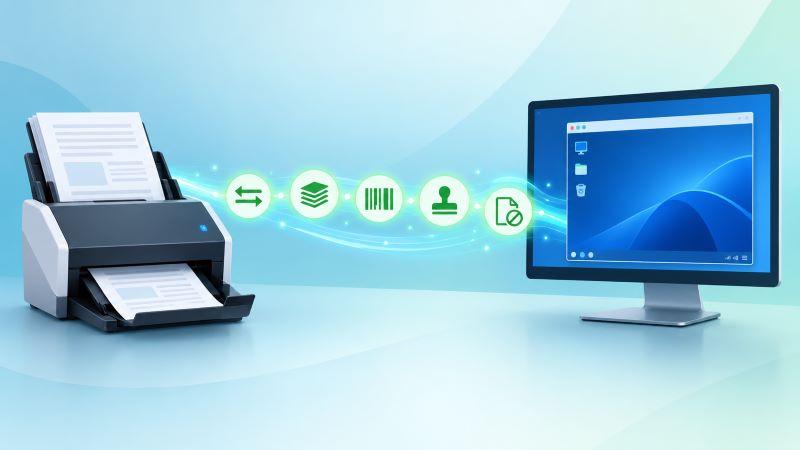
"Scanning works." "Great. So why is duplex greyed out?" This is one of the most common support tickets from remote desktop environments. The scan completes. Nothing crashes. But the batch quietly runs single sided, the imprinter stays off, and barcode separation just stops working. The reason is how TWAIN works. It's a negotiation, not a fixed feature list. A production scanner driver can expose 60 to 120 capabilities, many of them vendor-specific. A generic virtual scanner on the server answers a couple of dozen and fails the rest. TSScan dynamic redirection takes a different approach. Instead of replacing your scanner with a generic one, it lets your scanner's own driver do the work, so the features you rely on locally can carry over into the remote session. We also cover when you don't need TSScan at all. Sometimes a network scanner with scan-to-folder is honestly enough. Full breakdown 👉 https://lnkd.in/d5xpaW8t Sysadmins and MSPs: what's the most frustrating scanner issue you've run into on RDS or Citrix? #RemoteDesktop #RDS #Citrix #TWAIN #DocumentScanning #SysAdmin #TSScan
- LINKEDIN · IMAGESince 26 Aug 2026
Intuitive tools with a simple and affordable licensing model. Our remote desktop tools suite anyone, from small offices to large cloud hosting providers.




6 of 23 adsSign up to see every Terminalworks ad, filter by format and date, and get alerts on new ones.
See all 23 adsQuestions about Terminalworks’s ads
Is Terminalworks running LinkedIn ads?
We recorded no live LinkedIn ads for Terminalworks on 8 Nov 2026.
How many LinkedIn ads has Terminalworks run?
LinkedIn’s ad library lists 23 ads for Terminalworks. We recorded 23 LinkedIn ads for Terminalworks, first recorded on 1 Oct 2026 and last recorded on 24 Oct 2026.
Does Terminalworks run Google ads?
Yes. We recorded 46 Google ads for the domain terminalworks.com on 11 Oct 2026.
Which ad formats does Terminalworks use?
The 6 LinkedIn ads on this page include 6 image ads.
Watch the companies you care about.
Filter every ad by industry, country, format and network, and get alerts when a company you watch starts running new ads.