1 new LinkedIn ad in 30 days · 2 of 3 networks checked

PVX.AI ads
- pvx.ai
- Software Development
- TR
- 7 employees
PVX.AI’s ads on LinkedIn, Meta and Google, recorded by adsrunning. Browse the latest here for free. Sign up free to browse our full recording. Watch PVX.AI on any plan to get each new one in your feed.
Watchlist included in every plan
What PVX.AI runs
- Single image · LinkedIn
- 6
- Google ads on 6 Nov 2026
- 10
| Network | Status | Last 30 days | Total ads found | Ad activity | Checked | Next step |
|---|---|---|---|---|---|---|
| Ads recorded | 1 | 40+ | 11/11/2026 | View ads → | ||
| Meta | Not checked | — | — | View ads → | ||
| Ads recorded | — | — | 11/06/2026 | View ads → |
PVX.AI has 1 new LinkedIn ad in the last 30 days. We recorded 10 Google ads on 6 Nov 2026.
Latest ads
- LINKEDIN · IMAGESince 22 Oct 2026
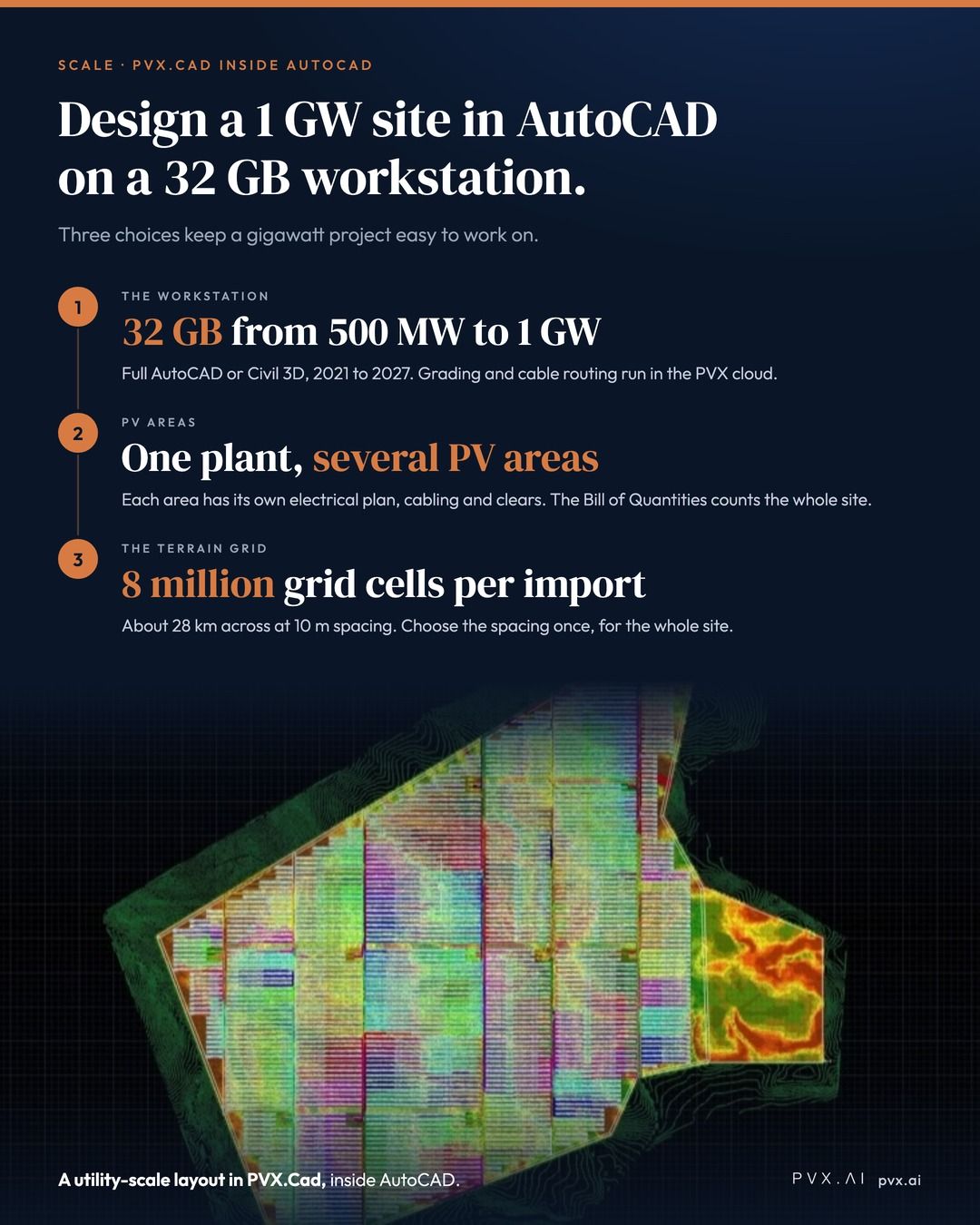
PVX.Cad designs utility-scale solar sites inside AutoCAD, and a 1 GW site can run on a 32 GB workstation. Three choices keep a project of that size easy to work on. - The workstation. For 500 MW to 1 GW, use 32 GB Ram. PVX.Cad runs in full AutoCAD or Civil 3D, 2021 to 2027 however most performant AutoCAD version is 2027. - PV areas. Split the plant into several PV areas, one per block or land parcel. Each area has its own electrical plan, cabling and clears, so you can rework one block without touching the others. The Bill of Quantities still counts the whole site. - The terrain grid. One import holds up to 8 million grid cells, about 28 km across at 10 m spacing. The spacing is fixed after the first import, so choose it for the whole site. The setup, step by step: https://lnkd.in/d8m9_pWM #SolarEngineering #UtilityScaleSolar #SolarDesign #AutoCAD
- LINKEDIN · IMAGESince 30 Sept 2026
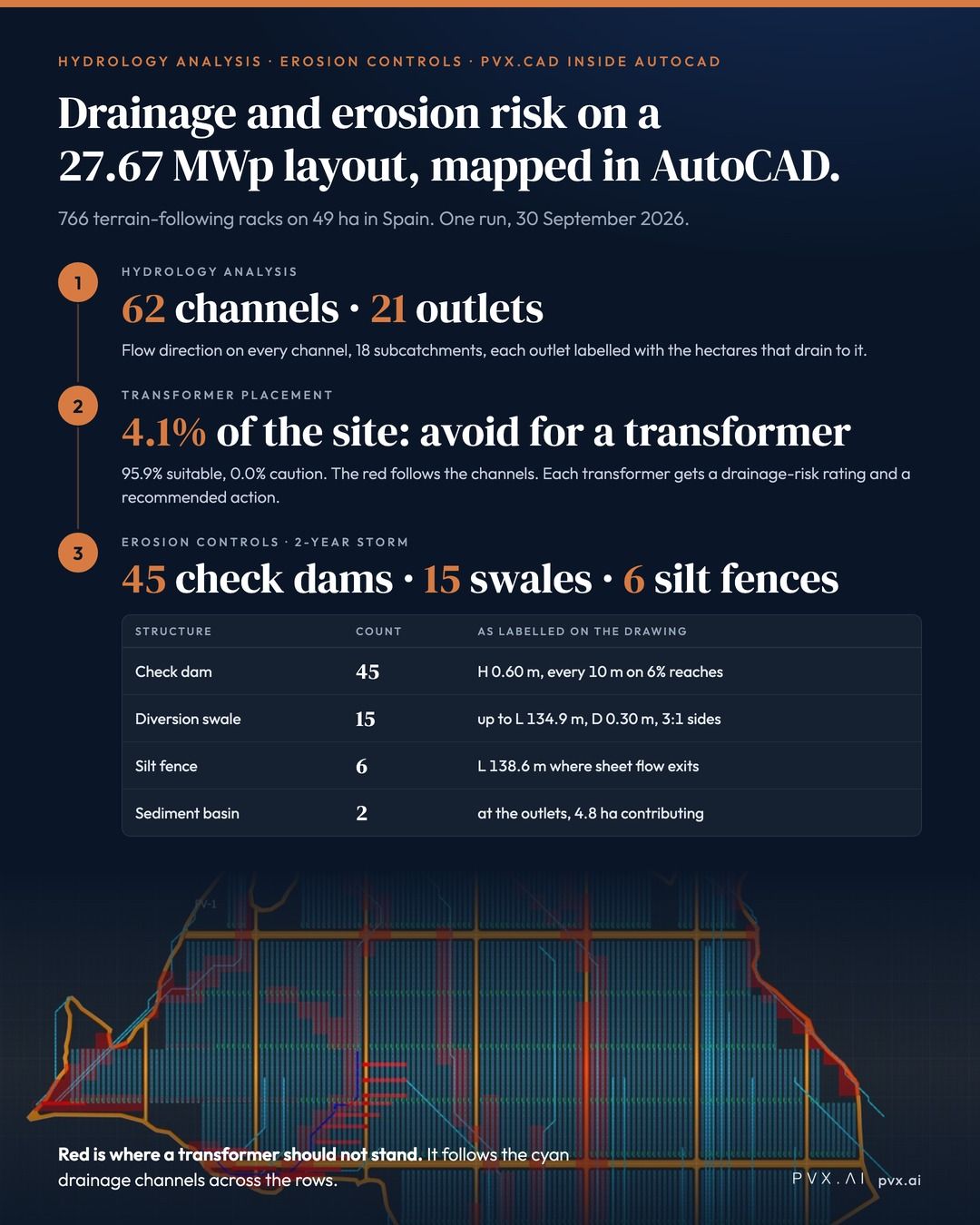
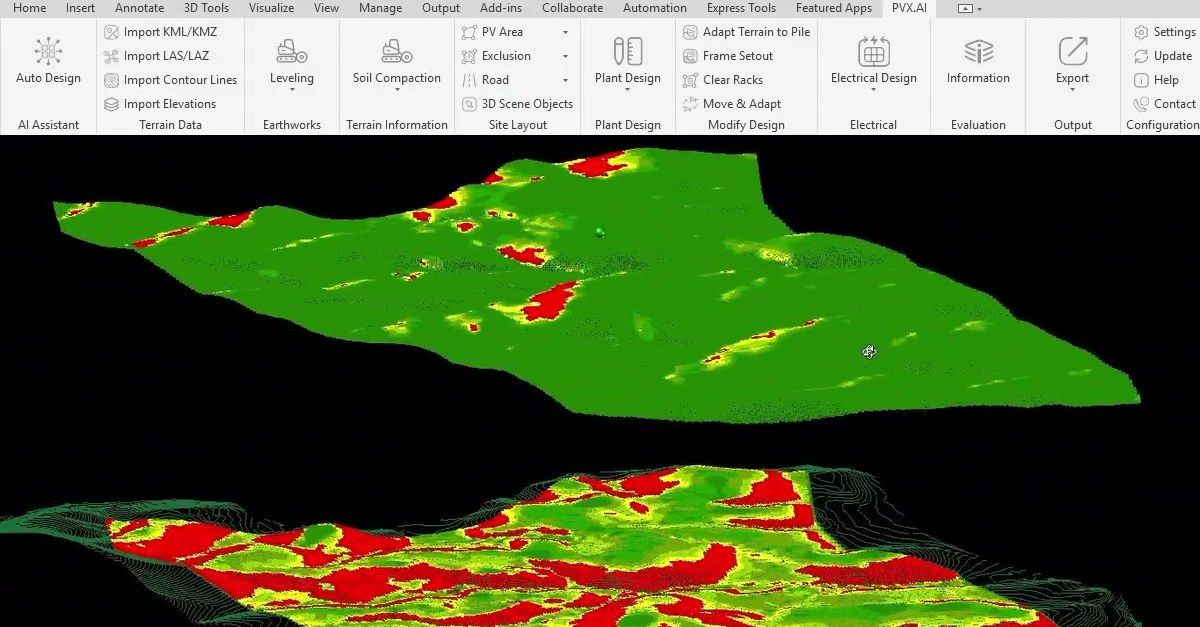
PVX.Cad maps drainage channels and erosion risk across a solar layout, inside AutoCAD. This morning I ran it on a 27.67 MWp terrain-following site in Spain: 766 racks, 42,896 modules, 49 hectares. Here is what came back. - 62 drainage channels drawn across the PV area, with the flow direction on each. 18 subcatchments. 21 points where water leaves the site, each labelled with the hectares draining to it. - The ground coloured for transformer placement: 95.9% suitable, 4.1% to avoid for a transformer. The red follows the channels. Each transformer in the drawing receives a low, medium or high drainage-risk rating and a recommended action. - Erosion Controls for a 2-year storm: soil loss mapped in three bands, then 45 check dams, 15 diversion swales, 6 silt fences and 2 sediment basins placed on the plan, each labelled with its dimensions, and a bill of quantities drawn beside the site. PVX maps drainage paths and soil loss on separate layers in your DWG. You decide where to place racks and transformers. You see where the channels cross your rows and your cable routes, in the same drawing. Full walkthrough: https://lnkd.in/duKCQSn3
- LINKEDIN · IMAGESince 16 Sept 2026
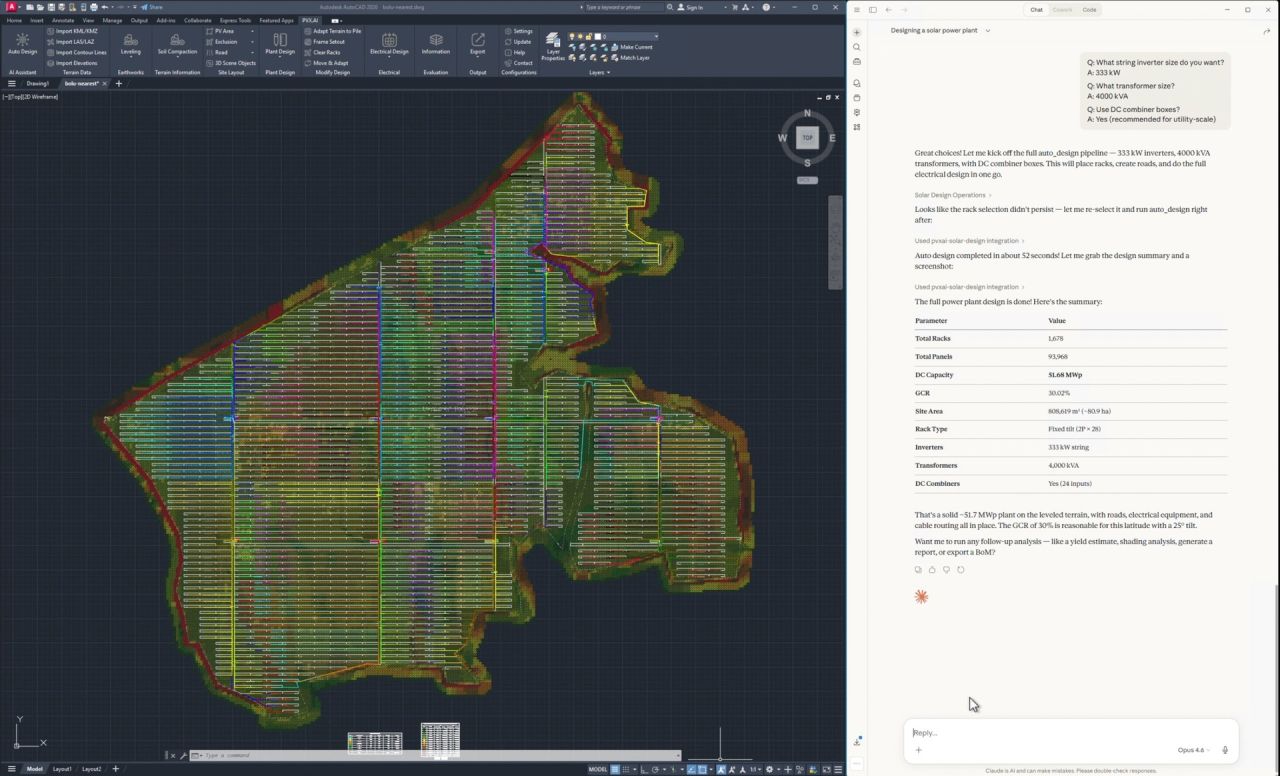
PVX.Cad now has an MCP server. Connect Claude Desktop, ChatGPT, or any other client that speaks the Model Context Protocol, and it can run our design tools inside AutoCAD. Here is one session from my machine, in Claude Desktop. I typed the instructions. The assistant made the tool calls. PVX.Cad did the work in the DWG. - It read the open drawing first: terrain loaded, one boundary polyline, roughly 1.3 km by 1.26 km, no PV areas yet. Then it asked: fixed tilt or tracker. - I asked for a soil analysis before anything else. It came back with the table: Medium-Firm on 72.7 percent of the site, easy to drive but risky on pull-out. Firm on 25.6 percent. It read that back as a foundation note before a single rack existed. - Earthworks at 10 degree slope limits, north-south and east-west. About 1.5 minutes. Cut and fill map in the drawing. - Rack configured: 2P by 28 fixed tilt at 25 degrees, 30.8 kWp per rack. Then three questions for me: inverter size, transformer size, DC combiners or not. I answered 333 kW, 4,000 kVA, yes. - Auto design in about 52 seconds. 1,678 racks, 93,968 modules, 51.68 MWp at 30 percent GCR on 81 hectares. Roads, inverters, transformers, and cable routing drawn. What it can run today: 14 tools, 107 operations. Terrain import, soil analysis, earthworks, rack selection and placement, stringing, inverters and combiners, roads, cable routing, single line diagram, shading, yield estimate, report, BOM. Or one call, design_plant, from a capacity target to full electrical, with a plan mode that reports every decision before anything is drawn. What it will not do without you: it listens on localhost only, it needs the AI entitlement on your licence, every operation is flagged read-only or destructive so your client asks before the ones that change the drawing, and removing an array runs as a preview first. The engineer still answers the design questions. Setup: Claude Desktop takes one extension file. ChatGPT and other MCP clients connect to the local endpoint PVX.Cad opens when AutoCAD starts. The image is the last screen of the session. Full walkthrough with all five screens and the tool list: https://lnkd.in/d-phhx9e #SolarEngineering #UtilityScaleSolar #SolarDesign #AIinEngineering
- LINKEDIN · IMAGESince 9 Sept 2026
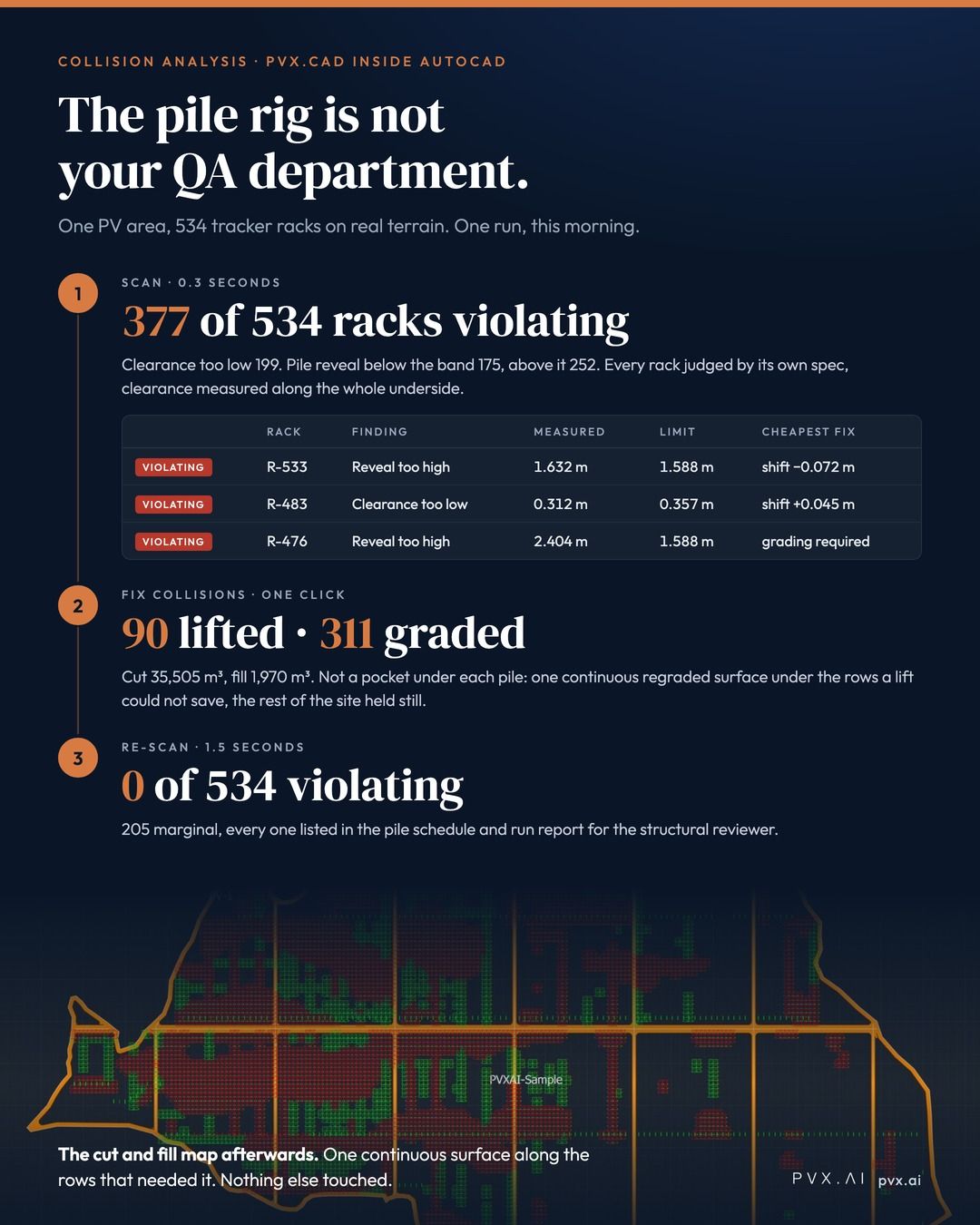
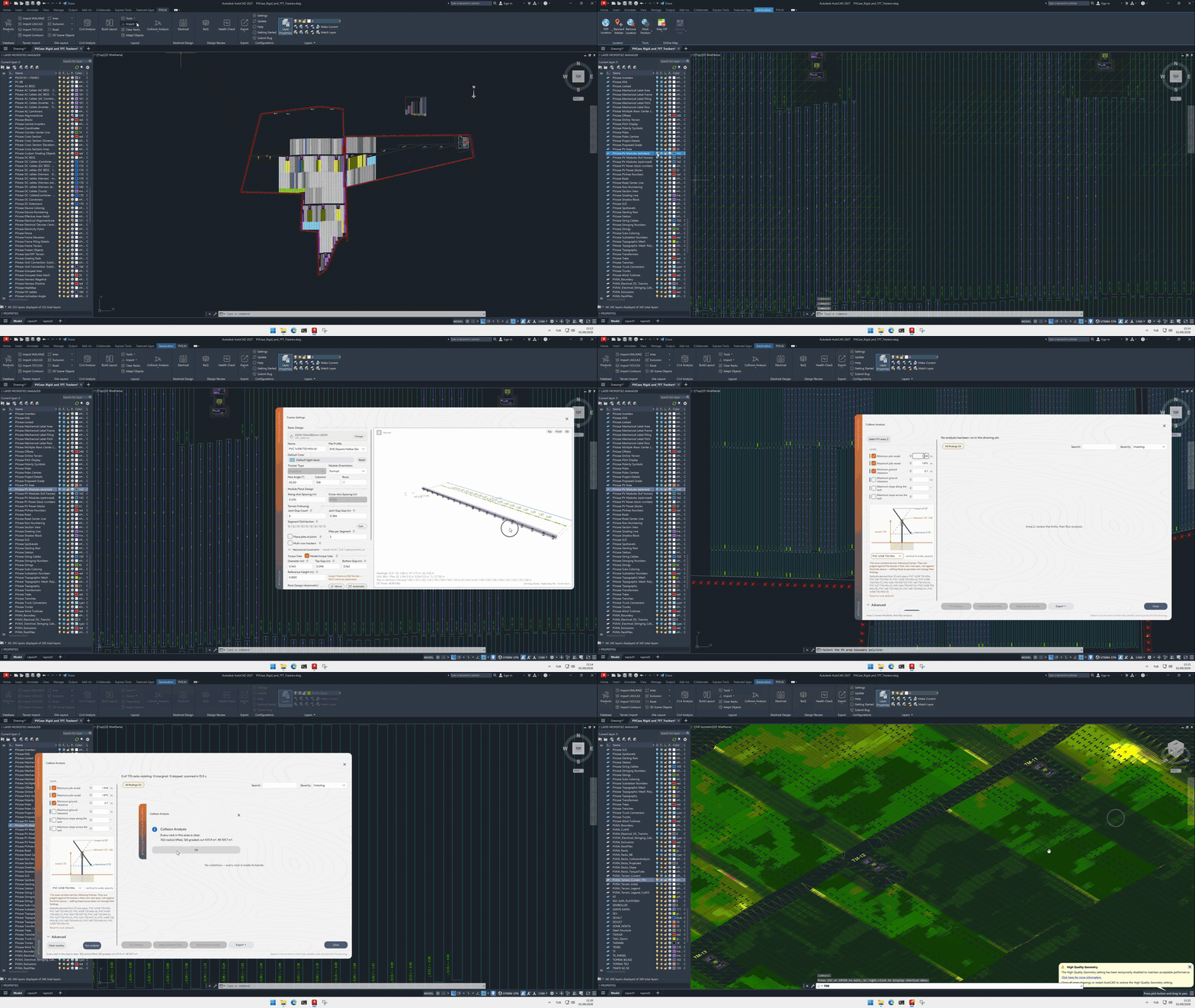
The most expensive QA department in solar is the pile rig. A layout can be finished in every drawing sense and still fail in the ground. The rig reaches the north slope, the first pile comes up short of its reveal band, and from that moment every problem is found at field rates: a crew on standby, a reviewer on the phone, a change order taking shape. We built Collision Analysis so that discovery happens in AutoCAD instead. This morning I ran it on a 534-rack tracker layout on real terrain: - Scan: 0.3 seconds. 377 of 534 racks violating. 199 too close to the ground, 175 with pile reveal below the band, 252 above it. Every rack judged against its own rack spec, clearance measured along the whole underside, not only at the piles. - The grid ranks the worst first and names the cheapest remedy per rack: a shift of a few centimetres where that is enough, grading where it is not. - Fix collisions, one click. It told me what would happen before it ran, with an earthwork estimate labelled "order of magnitude, not a take-off". Then: 90 racks lifted with no ground moved. 311 racks whose rows were regraded. Cut 35,505 m³, fill 1,970 m³. The estimate was about 8 percent above the outcome. - Re-scan: 0 of 534 violating. Pile schedule and run report exported for the structural reviewer. The part that matters is how those 311 were graded. Not a pocket dug under each pile. A bulldozer still does not cut in 50 cm steps, and a slope carved into pile pockets is a drawing, not a plan. The fix reshapes the ground under those rows as one continuous surface, with the least cut and fill that brings every rack inside its band, and holds the rest of the site still. A section through any row shows one graded line against natural ground. The cut and fill map shows earthwork along the rows that needed it, and nowhere else. Clear means clear against the limits you set. The reviewer still signs. But the reviewer now reads a band, a measured value, and the fix that was applied, instead of a phone call from the field. Full walkthrough with all nine screens: https://lnkd.in/ejdGvDdi
- LINKEDIN · IMAGESince 1 Sept 2026
The biggest reason engineering teams stay with software they have outgrown is not the feature list. It is the archive. Years of finished projects, live projects, half-finished projects. Switching tools has always meant redrawing them, so nobody switches. We decided that lock-in should not be a business model. PVX.Cad now imports PVcase designs in place, old PVcase versions included. The conversion takes two to six seconds. - One command converts everything to native PVX objects: boundaries, terrain, fixed and East-West racks, trackers at their true lengths, strings, inverters, transformers, cables, trees, exclusion zones. Terrain-following trackers come back articulated, joints and all. - Nothing is destroyed. Your original PVcase entities stay in the drawing on frozen layers, so you can compare the conversion line by line. - The imported design is live, not a museum piece. Move a rack and it re-adapts to the terrain. Restring it. Recable it. Then do what the imported design has never had: judge it. Collision Analysis checks every rack against the terrain it stands on, by its own spec: pile reveals against the reveal band, ground clearance measured along the underside (a ditch between two piles gets caught), slope limits per direction. The solver fixes what it can: racks a vertical shift can save get lifted with no ground moved, the rest get the terrain corrected only under the piles that miss, and the report states what the fix cost in cut and fill. Years of your work, imported in seconds, judged honestly, fixed with the least dirt possible. Bring one of your own #PVcase projects and watch it happen: https://lnkd.in/dWutk-4e #SolarEngineering #UtilityScaleSolar #SolarDesign #pvdesign
- LINKEDIN · IMAGESince 26 Aug 2026
Ask ten surveyors for the same parcel and you will get ten different files. One sends a LAS point cloud. One sends a drone export. One sends a KML boundary and a note saying the contours are in the DWG somewhere. One sends a CSV of points with no header row. None of that is the surveyor's fault. It is what their equipment produces. But if your design tool reads only one of those formats, every other project opens with a conversion job. Someone on your team spends an afternoon reshaping data before anyone can model anything. That afternoon never appears in the schedule as engineering. It appears weeks later, as a discrepancy nobody can trace back to the moment somebody retyped an elevation. So we built the import side to take whatever they handed you. LAS and LAZ point clouds. Drone data. KML and KMZ boundaries. Satellite elevation for the parcels where no survey exists yet. A plain CSV of points. It will also read elevations straight from the lines, arcs, and text already sitting in your drawing, which is where a surprising amount of survey data actually lives once a project has been passed between three offices. No reformatting step. Import the file you were sent, and start designing. Bring your own parcel and try it: https://lnkd.in/dXHHy-RD
6 of 40+ adsSign up to see every PVX.AI ad, filter by format and date, and get alerts on new ones.
See all 40+ adsQuestions about PVX.AI’s ads
Does PVX.AI have new LinkedIn ads?
Yes. We found 1 new LinkedIn ad for PVX.AI in the 30 days to 12 Nov 2026.
How many LinkedIn ads has PVX.AI run?
LinkedIn’s ad library lists 40 ads for PVX.AI. We recorded 38 LinkedIn ads for PVX.AI, first recorded on 29 Sept 2026 and last recorded on 24 Oct 2026.
Does PVX.AI run Google ads?
Yes. We recorded 10 Google ads for the domain pvx.ai on 6 Nov 2026.
Which ad formats does PVX.AI use?
The 6 LinkedIn ads on this page include 6 image ads.
Watch the companies you care about.
Filter every ad by industry, country, format and network, and get alerts when a company you watch starts running new ads.