Not on air · 2 of 3 networks checked
Headway
- headway.io
- Software Development
- US
- 20 employees
Headway’s ads on LinkedIn, Meta and Google, recorded by adsrunning. Browse the latest here for free. Sign up free to see all 20. Watch Headway on any plan to get each new one in your feed.
Watchlist included in every plan
| Network | Status | Live ads | Nov 2025LinkedIn activity · 52 weeksNov 2026 | Checked | Next step |
|---|---|---|---|---|---|
| None recorded | 0 | Checked 3 Nov 2026 | See all 20 ads → | ||
| Meta | Not checked | — | |||
| None recorded | 0 | No ads found on the Google Ads Transparency Center | Checked 31 Oct 2026 | Collect them with the API → |
Headway has no live LinkedIn ads. We recorded no Google ads on 31 Oct 2026.
Latest ads
- LINKEDIN · IMAGERecorded 21 Oct 2026
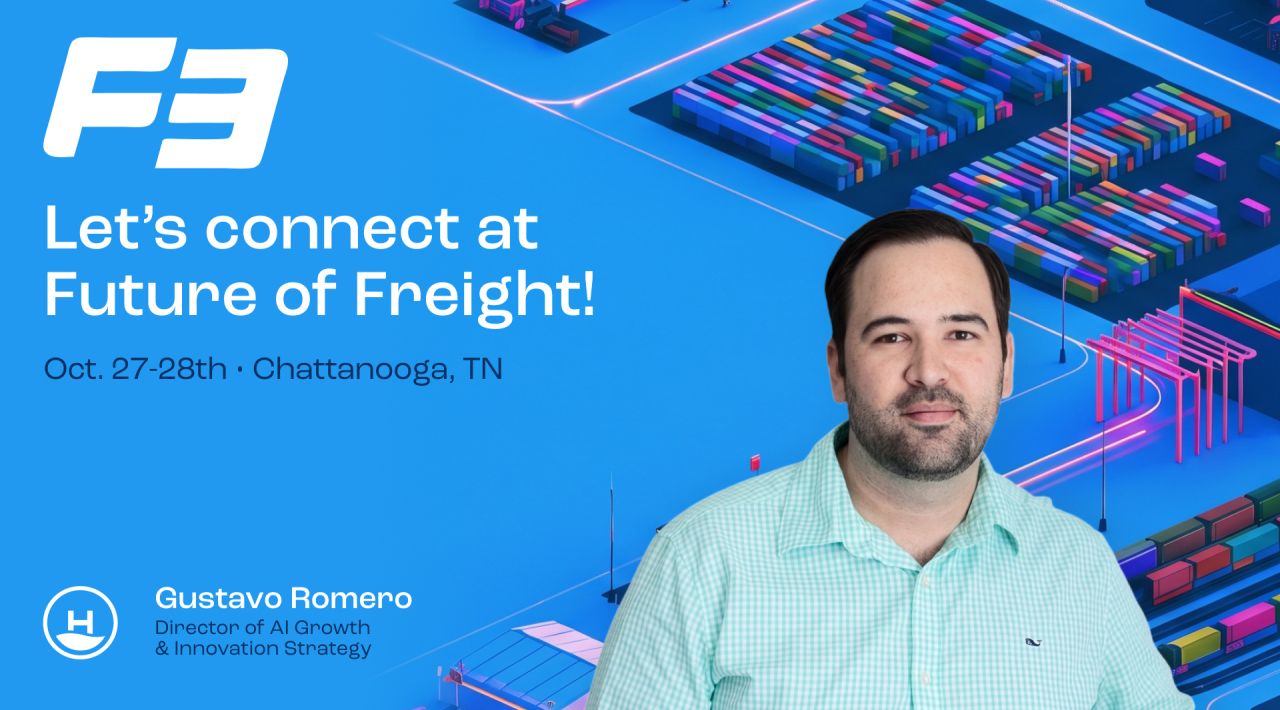
Freight doesn’t have a technology shortage. Three problems keep coming up when I talk with freight teams, and another platform won’t fix any of them: 1). Systems that disagree about the same order. Before buying something new, connect what you already own. 2). AI pilots that look great in a demo and stall in production. The model usually isn’t the problem. The messy data and workflows around it are. 3). Build vs. buy debates that go in circles. A working prototype settles more than another round of meetings. Freight is familiar ground for our crew at Headway. We designed and built Engage Lane, the freight procurement marketplace Trimble later acquired. We work inside your team and leave the system standing when we go. I’ll be at F3 in Chattanooga, October 27 and 28, with open time both days for 20-minute conversations. No pitch, just coffee and a useful conversation. If you’ll be there, send me a DM and we’ll find a time. Not making it to Chattanooga? DM me anyway.
- LINKEDIN · VIDEORecorded 11 Oct 2026
Skip Code Connect and let an MCP server do the job. Tim Gremore made that case in our Design System MCPs live stream. Code Connect is useful. It tells Figma how a component in your UI kit maps to its properties in Figma. On a simple button, that's easy. On a complex component, keeping that definition aligned with Figma's API turns into one more thing to maintain. Billy Sweetman added another catch: Code Connect lives inside Dev Mode. If your org doesn't give every developer Dev Mode access, a lot of them never see it. What we do instead: 1. Pull Figma variables out through the Variables API (Enterprise only). 2. Set a naming convention that maps each variable to a specific token in code, so you're not maintaining a giant mapping table. 3. Get that context from your UI kit into an agent through an MCP server. If your crew already relies on Code Connect, it can stay. If you haven't adopted it yet, Tim's advice is to try not to. We've gotten the same results with an MCP server.
- LINKEDIN · VIDEORecorded 11 Oct 2026
The anti-patterns section of your design system docs is the most underrated AI guardrail you have. Most teams tell their AI agents when to use a component. That still leaves room for interpretation, and agents fill the gaps with guesses. Toast, banner, alert, snackbar. Plenty of humans pick the wrong one. Agents do too. The fix is telling the agent when not to use a component, why, and what to use instead. For example: never use a toast for errors, because it can time out before anyone sees it. Use an alert. Billy Sweetman, our Head of Design, walks through how to build that kind of design philosophy into a design system MCP. His tip: you probably don't need to write these rules from scratch. The anti-patterns your designers already documented at the bottom of each component page are your "when not to use" list. Put them in the MCP, and you stop re-prompting your agent for the right component.
- LINKEDIN · VIDEORecorded 8 Oct 2026
AI enablement put Claude Code in the hands of sales reps, analysts, and ops folks. They're building their own dashboards and internal tools now, and that's a good thing. But... it also also brings new problems. Your design system just gained a lot of new users, and most of them can't read the code. Without your design system's context, the agent guesses. Raw hex codes instead of tokens. Hardcoded padding. A border radius nobody approved. The result looks close enough on screen. The person who prompted it has no reason to question it, so it ships. Every one of those guesses quietly undoes a decision your design team already made. Multiply that across every new builder in the org, and drift compounds fast. Billy Sweetman, our Head of Design, calls it "same prompt, two answers." Tim Gremore, our Development Lead, adds that agents are non-deterministic by nature, so hoping they land on the right answer isn't a plan. A design system MCP gives agents the real answers: the right tokens, the right components, and the rules for using them. Your standards carry through to every product, including the ones built outside design and dev. Watch the clip from our webinar on design system MCPs.
- LINKEDIN · VIDEORecorded 22 Sept 2026
AI is generating more code than ever. And if your design system isn't airtight, that speed works against you. This is something our crew talks about constantly: drift. Things that look right but aren't technically correct. Small inconsistencies that compound. Brand fragmentation that builds up quietly across every product you ship. One product is manageable. Multiple products? The problem multiplies. A strong design system is what keeps it all together. It enforces brand standards, aligns how design and engineering work together, reduces decision fatigue, and makes scale actually possible. Without it, AI-generated output will drift from your brand. And walking that back is expensive. Billy Sweetman covered this in depth with Tim Gremore during our recent presentation on getting design systems ready for AI agents. Clip from the conversation above. What's the biggest drift problem your team has run into? Full presentation: https://lnkd.in/gs7CJSni
- LINKEDIN · VIDEORecorded 22 Sept 2026
Someone at our last live stream asked why we bother generating code from Figma at all. Why not push semantics outward from the code you already have? Fair question. Most of the failures people hit going design to code, invented props, hard-coded hacks, the wrong component, come from trying to extract meaning Figma never held in the first place. 👉 Here's why we still start in design anyway. A design system begins as a schema, naming, guidelines, and documentation. That definition work happens before a UI kit exists in engineering. So at the birth of a system, you're starting in design and flowing into code. We'd have a hard time imagining it the other way. Once the kit exists, the reverse direction gets interesting. Tim Gremore and Billy Sweetman have been exploring how designers can bring a component definition from code back into Figma when it has no design representation yet. That's the second half of a two way street. 👉 The honest answer depends on your size, though. 1️⃣ These patterns hold inside enterprise product teams of 20, 30, or 50 people. 2️⃣ If there are two of you and one is a design engineer, you may not need Figma in the workflow at all. What decides it is where Figma sits in your approvals, your decision making, and your product strategy.
6 of 20 adsSign up to see every Headway ad, filter by format and date, and get alerts on new ones.
See all 20 adsWatch the companies you care about.
Filter every ad by industry, country, format and network, and get alerts when a company you watch starts running new ads.