On air · 1 of 3 networks
Granola
- go.granola.so
- GB
- 156 employees
Granola’s ads on LinkedIn, Meta and Google, recorded by adsrunning. Browse the latest here for free. Sign up free to see all 621. Watch Granola with Starter to get each new one in your feed.
Watchlist with Starter · $49/mo
| Network | Status | Live ads | Nov 2025LinkedIn activity · 52 weeksNov 2026 | Checked | Next step |
|---|---|---|---|---|---|
| Running | 585 | Checked 31 Oct 2026 | See all 621 ads → | ||
| Meta | Not checked | — | |||
| None recorded | 0 | No ads found on the Google Ads Transparency Center | Checked 16 Oct 2026 | Collect them with the API → |
Granola has 585 live LinkedIn ads. We recorded no Google ads on 16 Oct 2026.
Latest ads
- LINKEDIN · IMAGESince 27 Oct 2026
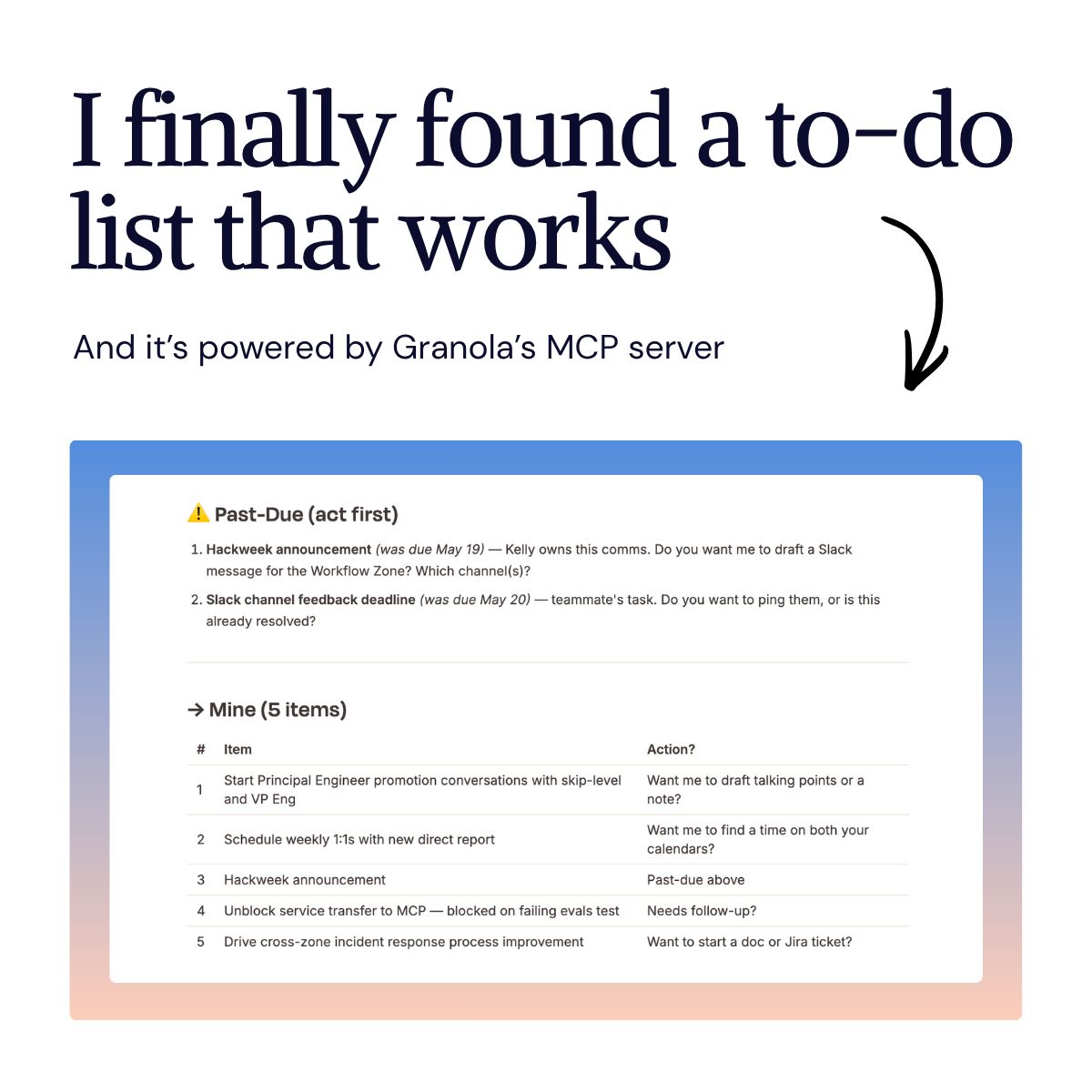
I finally solved it: I turned my meeting notes into a to-do list, and I'm not using a task manager! I've tried them all: Todoist, Things, saved Slack messages (this one really failed), and even pen and paper. Nothing seemed to stick. I kept missing things I'd say I would do in meetings, and then had to manually go back and see what I said I would do. Not very effective. I've been using Granola as my AI notepad to transcribe my meetings, but what really made it work for me was connecting it to my workflow using their MCP. Here's what it looks like in practice: Every morning, I have my agent pull my Granola meeting notes from the past week, extract what I need to act on, what I've handed off, and what I'm keeping an eye on, and surface it as a structured inbox. I can close things out, see what's overdue, and add context, all in a single conversation. No manual entry, no digging back through notes. The most useful part of this is the specificity. Not "follow up on the MCP thing" but "unblock transfer of [service], blocked on failing evals test, work with [person] to fix a mislabeled parent team." (My to-dos typically have actual names in them -- I stripped them here for confidentiality.) I've been using this method for a couple of months now. I'm glad I finally found something that sticks! #granolathenotes
- LINKEDIN · IMAGESince 27 Oct 2026
An AI notepad for back-to-back meetings. Walk in prepared, stay in the conversation, and leave with everything that mattered.
- LINKEDIN · IMAGESince 27 Oct 2026
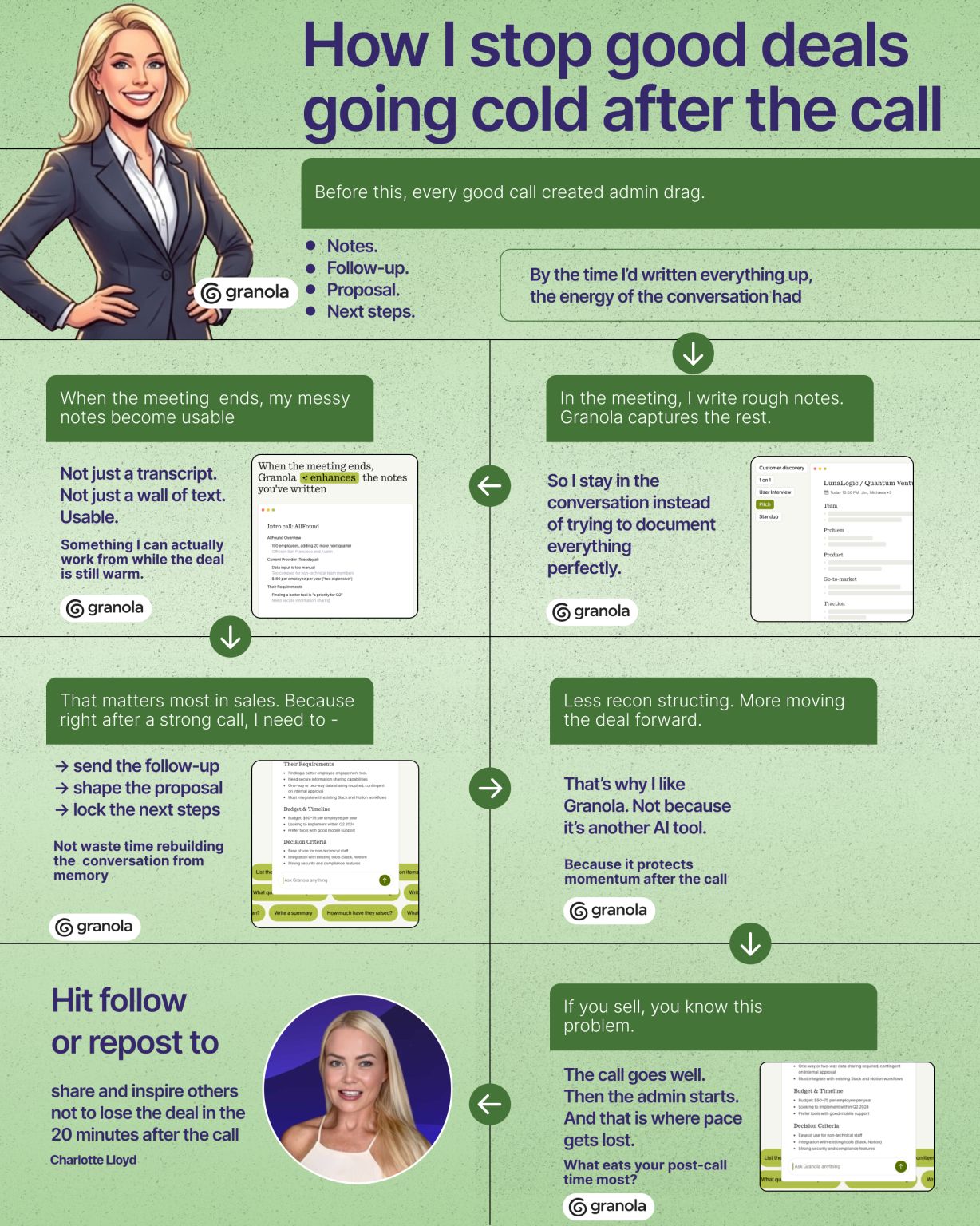
Most deals don’t die on the call. They die at this one point. Last week, I came off a call with a prospect who was clearly interested. We’d got into the real stuff: → what had stalled growth → what they’d already tried → what was making the decision feel risky → what needed to happen internally for them to move It was a good call. The kind where you hang up and can still feel the deal is warm. And then I did what I used to always do. Opened my notes. Started reconstructing the conversation. Wrote down the objections before I forgot them. Pulled together the follow-up. Started piecing the proposal together while the rest of my day was already moving on. That’s when I realised how much momentum I was losing. Not because the call had gone badly. Because I was dragging myself straight out of sales mode and into admin. And that’s where deals cool off. Not on the call. Not in the objection. In the messy 20 minutes afterwards. The part nobody talks about. That’s where Granola became genuinely useful for me. I use it during meetings so: I can stay focused on the conversation, I can make rough notes as I go, and Stop worrying about capturing every detail in real time. Then when the meeting ends Granola turns that into something I can actually use. My notes are structured. The follow-up is easier to send. No bots join the call I connect Granola to Claude so my AI plans next steps The next steps are there while the conversation is still fresh. That changed more than I expected. The biggest drain was never the meeting itself. It was the 20–30 minutes afterwards. The part where the deal was still alive, but my attention had already been pulled into documentation. Now I stay much closer to the momentum of the sale. Less scrambling to remember what was said. Less rebuilding the call from memory. Less post-call admin hanging over the rest of my day. More moving the deal forward while it still has energy. That’s why I like Granola. It’s NOT another AI tool. Because it helps me protect the hottest part of the deal the moment right after the call, when most people are accidentally leaking time, focus, and momentum.
- LINKEDIN · IMAGESince 27 Oct 2026
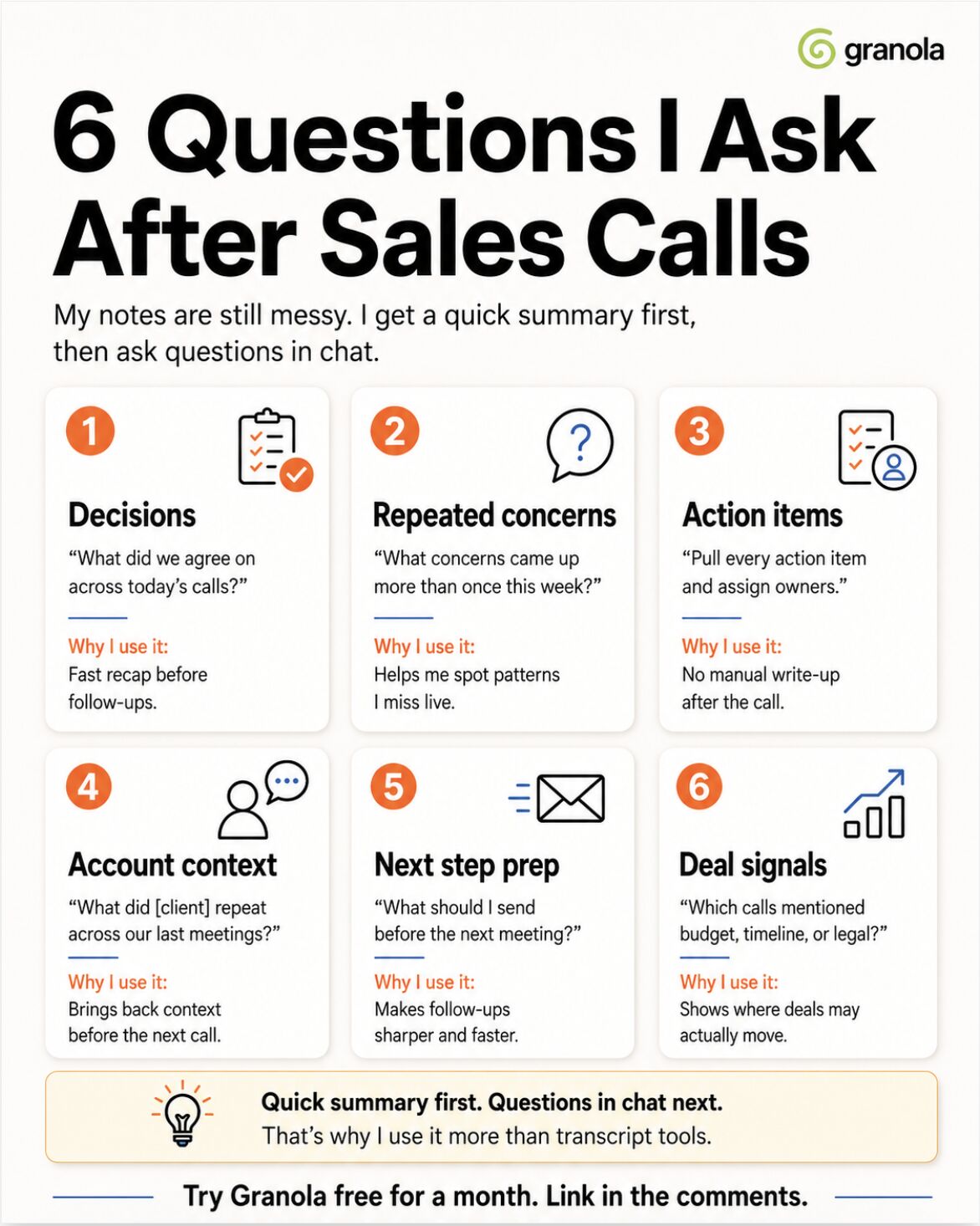
After every sales call, I run the same 6 questions. Takes two minutes. It replaced the 45 minutes of after-call admin I used to do every single day. Not in a doc. Not by digging through a transcript. I use Granola. It's a notepad that transcribes in the background and builds a summary around the notes I jotted. The part I lean on is Recipes, a prompt you save once and trigger with a "/" instead of retyping it every call. I built 6. Here they are: 1️⃣ /dailyrecap → "What did we agree on across today's calls?" Fast recap before any follow-up. 2️⃣ /repeatconcerns → "What concerns came up more than once this week?" Spot patterns you miss live. 3️⃣ /actionitems → "Pull every action item and assign owners." No manual write-up after the call. 4️⃣ /accountcontext → "What did this client repeat across our last 3 meetings?" Context back before the next call. 5️⃣ /presend → "What should I send before the next meeting?" Sharper, faster follow-ups. 6️⃣ /dealsignals → "Which calls mentioned budget, timeline, or legal?" Shows where deals are actually moving. The transcript was never the hard part. Plenty of tools transcribe now. The difference is I saved these once and they run across every call, not just one. "What did this account say about pricing in our last 3 meetings?" Answered in seconds. Save these 6. Run them after your next call. ➟ Try Granola free for a month. Link in the comments. #granolathenotes #granolapartner
- LINKEDIN · IMAGESince 27 Oct 2026
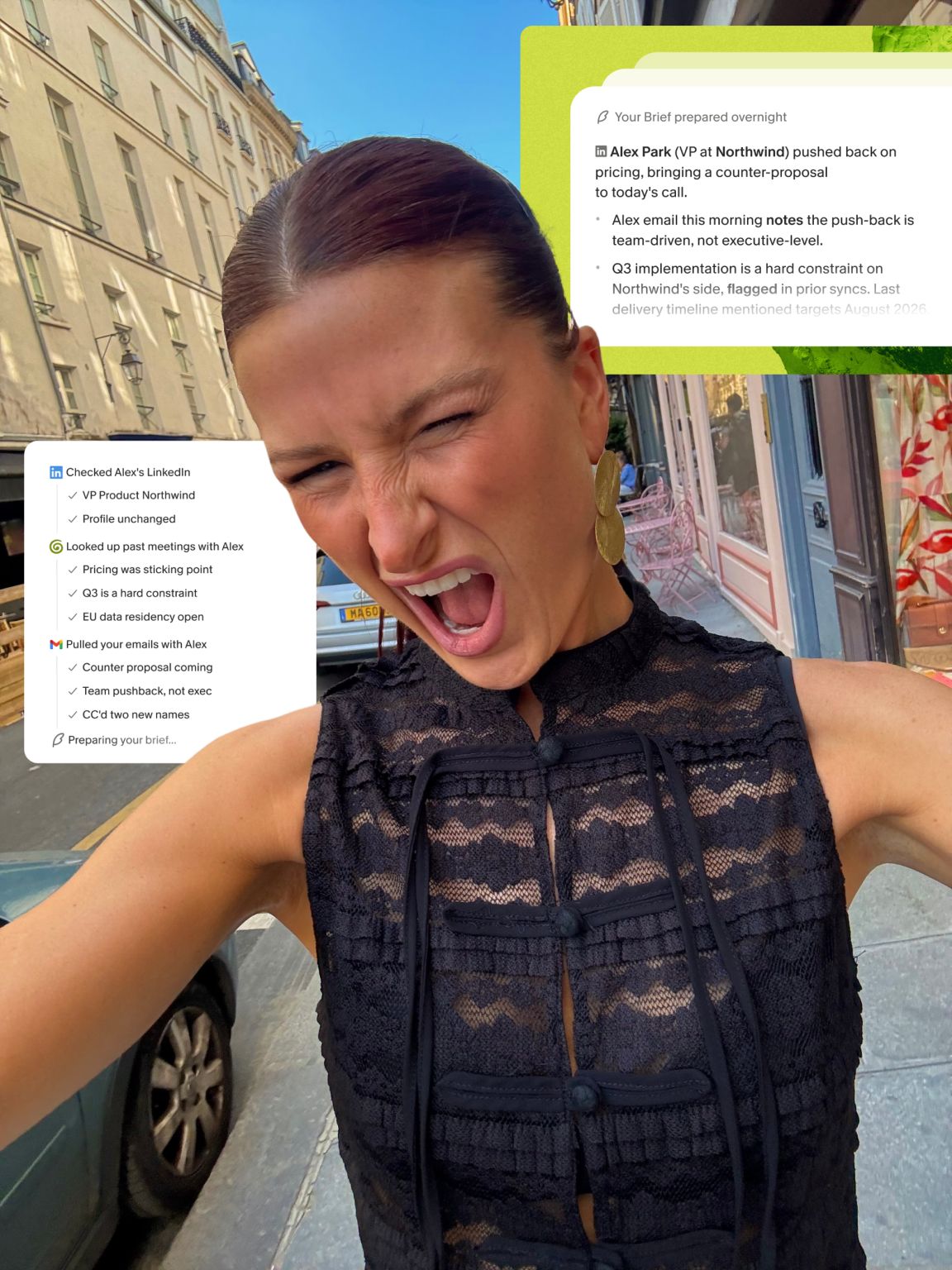
GUYS GRANOLA JUST DROPPED THE MOST INSANE FEATURE. 🤯 Let me tell you why I care so much… Last week I had ten external meetings in one day. TEN. By the end of the day, I was sprinting between calls and joining two minutes late, with no idea who i was about to speak to (it’s BAD I know). I was scanning my inbox for context while the person was introducing themselves - sooo obvious when your eyes are clearly reading something on a call… ick ick ick 🤢 This sums up my life… the calendar fills up faster than I can prepare for it. I’ll be jumping from a client delivery call to a sales meeting to a partnership conversation to a candidate interview, and somewhere in that time I’ve completely lost the thread of why half of these meetings are happening. So when Granola dropped their new Briefs feature, I cried of happiness. Before EVERY meeting, there’s a “brief” sitting in Granola to help you prep - already built, no setup, no prompting, NOTHING for you to do. It’s pulled from your notes, the web (!), and Gmail if you've connected it. It's the exact amount of context you need to join a meeting feeling like you've done your homework. I used it yesterday before a meeting with someone i'd spoken to once, three months ago. I remembered who they were and why we were speaking again. The brief had the specifics - what we'd discussed, what they'd shared publicly since, what mattered to them. INSANEEEE. Everything is cited too, so if something looks off or you want to go deeper on a data point, you can. This is Granola's first agentic feature - the first time it does something for you beyond capturing what's already happened. For anyone running a busy schedule - this one is worth paying attention to. The feeling of joining a call prepared, when you've had no time to prepare, is hard to overstate. And saving the best part till last.. The LEGENDARY team at Granola have given me a code for a FREE month of Granola Business for my LinkedIn community. Just comment “GRANOLA” below, and I’ll DM you the link to claim it. 🚀 #AI #Granola #GranolaTheNotes #WorkflowAutomation #AITricks #ProductivityHacks #NoCode #Automation #AIUpskilling #TechTools #Ad
- LINKEDIN · IMAGESince 27 Oct 2026
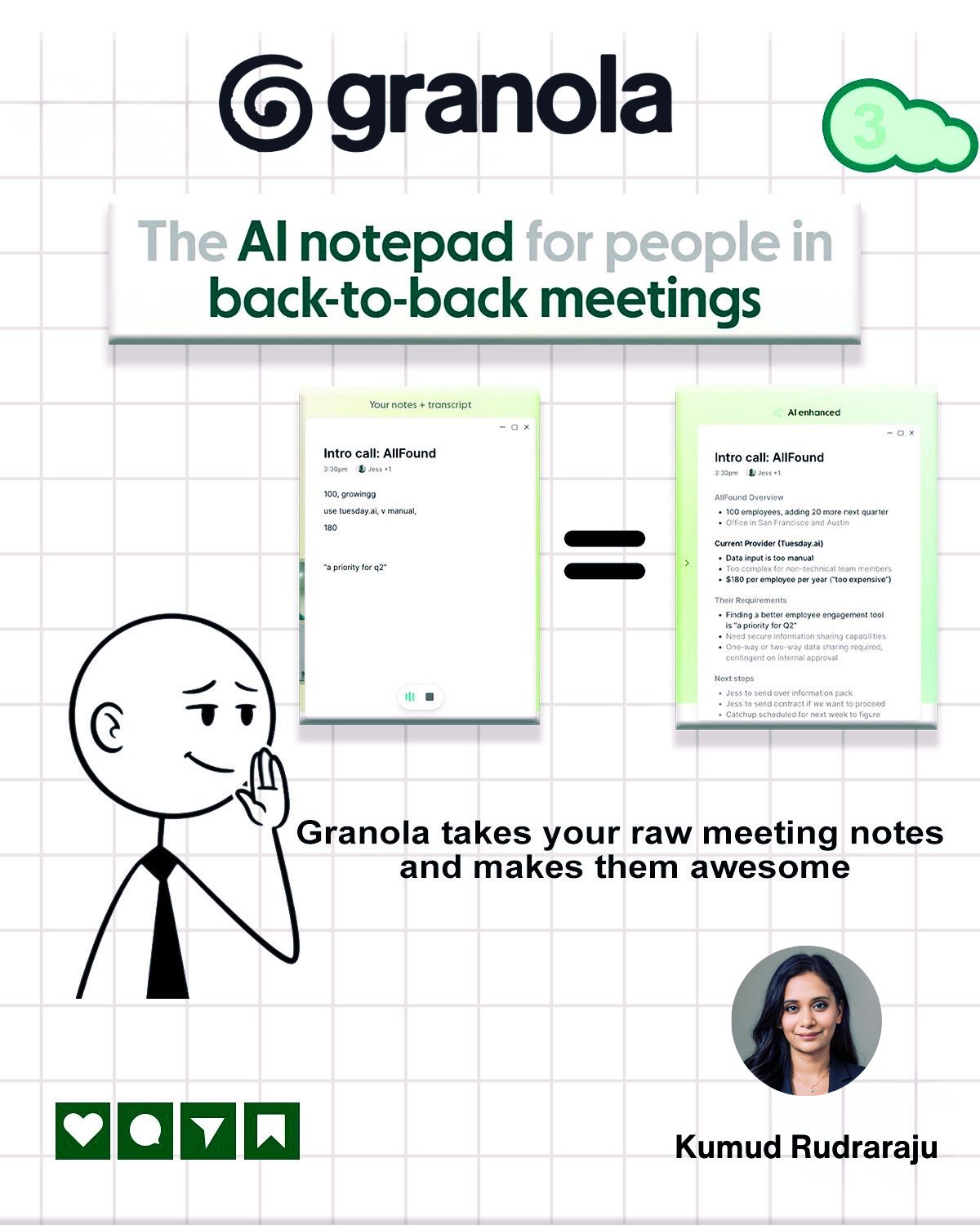
One thing I didn’t expect when working in Talent Acquisition; How much time gets lost after interviews. Not the interview itself, the part after. Rewriting notes. Pulling action items. Trying to remember exactly what a candidate said 20 minutes earlier. Multiply that by several interviews a day and it quietly adds up. So recently I tried something different. I started using Granola as my notepad during interviews. What I like about it is that it fits naturally into how I already run interviews. I still jot down quick notes during conversations with candidates; key points, impressions, or follow-up questions. After the interview, Granola enhances those raw notes and turns them into a clear summary with the candidate’s key responses, highlights from the conversation, and the main action items to share with the hiring team. The small detail that really sold me though: There’s no meeting bot joining the call. Granola simply transcribes your computer’s audio, so it quietly captures the context around the notes you wrote while you stay focused on the conversation. So now my workflow looks like this: Interview → close laptop → summary already done. No second round of organizing notes before sharing feedback with the team. The biggest difference? I’m actually more present during interviews instead of trying to capture every single detail. If you're in a lot of back-to-back meetings, curious how you handle notes today. Please share in the comments below. (For anyone interested in trying it, I left a free-month link in the comments.)
6 of 621 adsSign up to see every Granola ad, filter by format and date, and get alerts on new ones.
See all 621 adsWatch the companies you care about.
Filter every ad by industry, country, format and network, and get alerts when a company you watch starts running new ads.